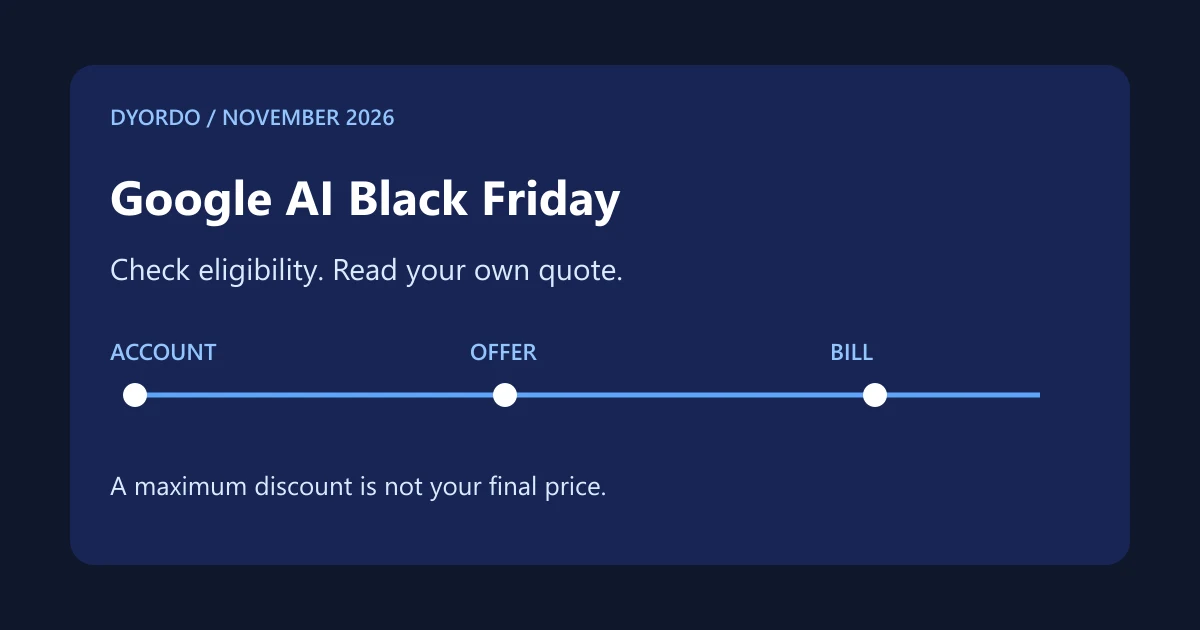
The offer is real, but your eligibility and price still need checking. On November 21, Google’s US English subscription page displayed a Black Friday member early-access promotion with discounts of up to 50% on selected Google AI plans. It does not establish that every account receives half off, or that every billing cycle is included.
The practical next step is to open Google’s offer page with the account you already use. Read the price, billing period and renewal conditions before changing anything. This guide explains how to do that; it does not contain an independently verified personal checkout price.
What has actually been announced?
The November 20 announcement by Vikas Kansal describes early access for current AI and storage subscribers, mentioning Google AI Plus and annual Pro plans through November 26. The exact offer depends on the subscriber’s current plan. The follow-up post is reported to say that non-subscriber offers start on Black Friday, November 27.
We verified the public Google banner directly. X was not directly retrievable during this review; the announcement details were cross-checked against a contemporaneous report reproducing the announcement and reply. The post’s deadline does not establish an exact closing hour or timezone, and the follow-up does not establish an identical new-user discount.
| Question | What the available evidence supports |
|---|---|
| Is there an official Black Friday promotion? | Yes: Google’s US English page displays member early access and an upper discount of 50%. |
| Which products are mentioned? | The announcement names Google AI Plus and annual Pro. Inspect the offered billing cycle for each product. |
| Does every current subscriber qualify? | Not established; the account’s current plan affects its offer. |
| Is Ultra discounted? | This announcement does not establish an Ultra discount. |
| Is a specific dollar price verified here? | No. Local currency, taxes, credits and the checkout total remain account-specific. |
A terms mismatch worth noticing
The banner links to Google One Special Pricing Offer Terms. The version reviewed, dated November 17, describes a new-user offer, country-dependent eligibility and a recurring monthly charge after its promotional period. That generic language does not clearly explain the member early-access annual offer.
Do not combine these into a made-up universal rule. In particular, do not conclude that all existing subscribers are excluded, or that an annual offer necessarily renews monthly. Open the offer-specific terms attached to your checkout and confirm the next payment amount, date and billing interval. If those screens disagree, ask Google support to clarify before paying.
Check your current account before switching
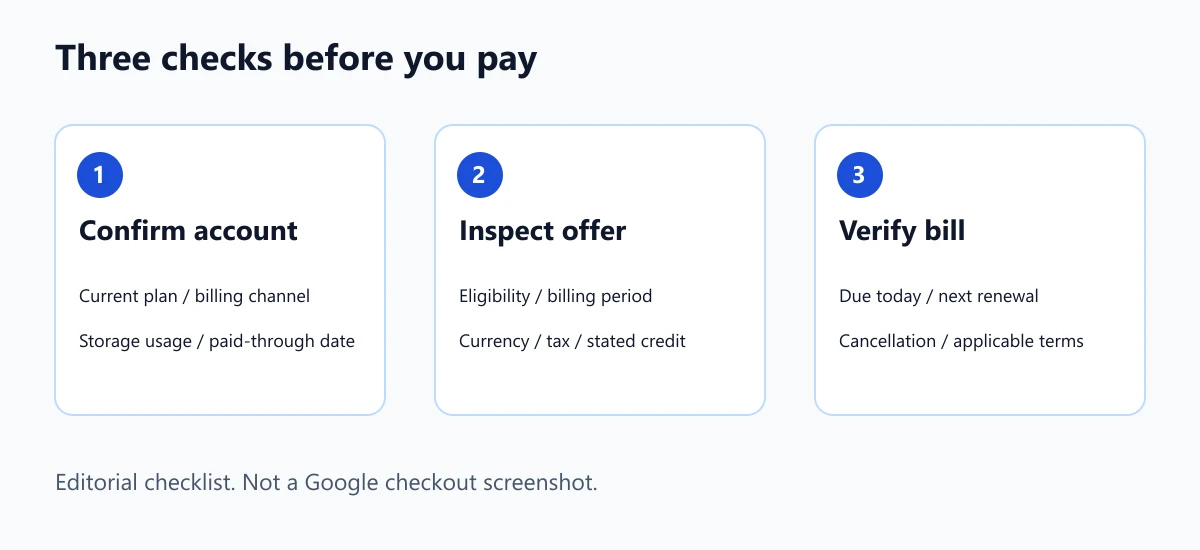
This is an editorial checklist, not a screenshot of Google’s checkout.
| Your current position | What to check first |
|---|---|
| You pay for Google One storage only | Is an AI upgrade actually offered, and how does it change the storage bill you already pay? |
| You have a monthly AI subscription | Does the offer move you to annual billing immediately, and is any existing payment credited? |
| You already pay annually | Does the promotion extend the term, replace the current plan or apply only at renewal? Do not assume a refund. |
| You use a trial, student offer or third-party billing | Check offer compatibility and the billing channel. This article has not verified stacking or migration eligibility. |
| You do not currently subscribe | Check the official page again on November 27; the reported launch date does not promise a particular price. |
Changing country, creating another account or canceling first is not a verified way to unlock this promotion. Start with the account holding your files and current subscription.
How to inspect the offer safely
- Identify the account and current bill. Note your plan name, current billing channel, paid-through date and storage usage. This prevents comparing an upgrade against the wrong subscription.
- Open the official offer. Visit one.google.com/ai, sign in, and check whether a promotion is displayed for that account. A public banner is not a personal eligibility decision.
- Read the total due today. Distinguish an annual charge from a monthly equivalent. Record currency, taxes, billing duration and any clearly stated credit for remaining service.
- Read what happens afterward. Identify the next renewal date, amount and interval, plus cancellation and refund conditions. Do not substitute a generic help page for the terms attached to the offer.
- Confirm before accepting. Save the terms and order summary for your own records. Complete the purchase only if the package and commitment fit your actual use.
We have not completed a purchase or tested switching between plans. Button labels and available paths can differ by account and billing channel.
Should you choose Plus or Pro?
Choose the smallest package that solves a recurring problem. For occasional writing or research, first identify what the free access or your existing subscription cannot do. For regular work, compare the offered limits and supported tools against real tasks, such as processing documents, creating media or working in Google’s apps.
Use the current official plan comparison and your offer screen to check the precise limits, storage allowance, supported country and sharing conditions. A model mentioned in an announcement does not prove every feature or quota is included in every tier. This guide intentionally does not freeze a feature table that could be mistaken for your account’s entitlement.
If you already pay for storage, count only the bill that the new subscription actually replaces. If you also subscribe to another AI tool, test whether you can stop paying for it before treating that fee as savings. Switching to a larger package at a discount can still increase your yearly spending.
What if you cannot see the promotion?
Confirm that you are in the intended account, then check the plan, billing channel and offer-specific restrictions. Read your country’s official page rather than assuming the US banner applies worldwide. If eligibility is unclear, ask support about that account’s offer. Repeated cancellation or regional changes can create more uncertainty without proving eligibility.
For the financial side, use SmartMoneyWiz’s Google AI annual-deal break-even analysis to compare the upfront price with the months you will actually use it.
Frequently asked questions
Is the discount guaranteed to be 50%?
No. The public promotion states an upper limit. Use the actual price and duration offered to your account.
Can new subscribers buy the same offer now?
The reported follow-up points non-subscribers to November 27. It does not establish identical pricing or universal eligibility. Check the official page on that date.
Is the displayed monthly equivalent charged monthly?
Not necessarily. An annual offer may show a monthly equivalent while collecting the year upfront. Check the total due and billing interval.
Does cancellation mean I get unused months back?
Do not assume that. Read the refund and cancellation rules for the actual offer. Also review storage usage before reducing your allowance.
Sources and review scope
Reviewed November 21, 2026: Google’s public US subscription page, the linked generic pricing terms, the original announcement, its follow-up, and the secondary account of both posts. Account-specific checkout, national eligibility, stacking, credits and refund outcomes remain unverified. Official links in this article are ordinary links, with no affiliate tracking.